The Editor
Cuts the ums, pauses and retakes, and lands every cut between words.
For creators who film themselves. A team of AI specialists edits your real footage on your Mac, directed by you. And a crew of creators has your back.
Free · No account · No credits · macOS 15 or later on Apple Silicon
How it works
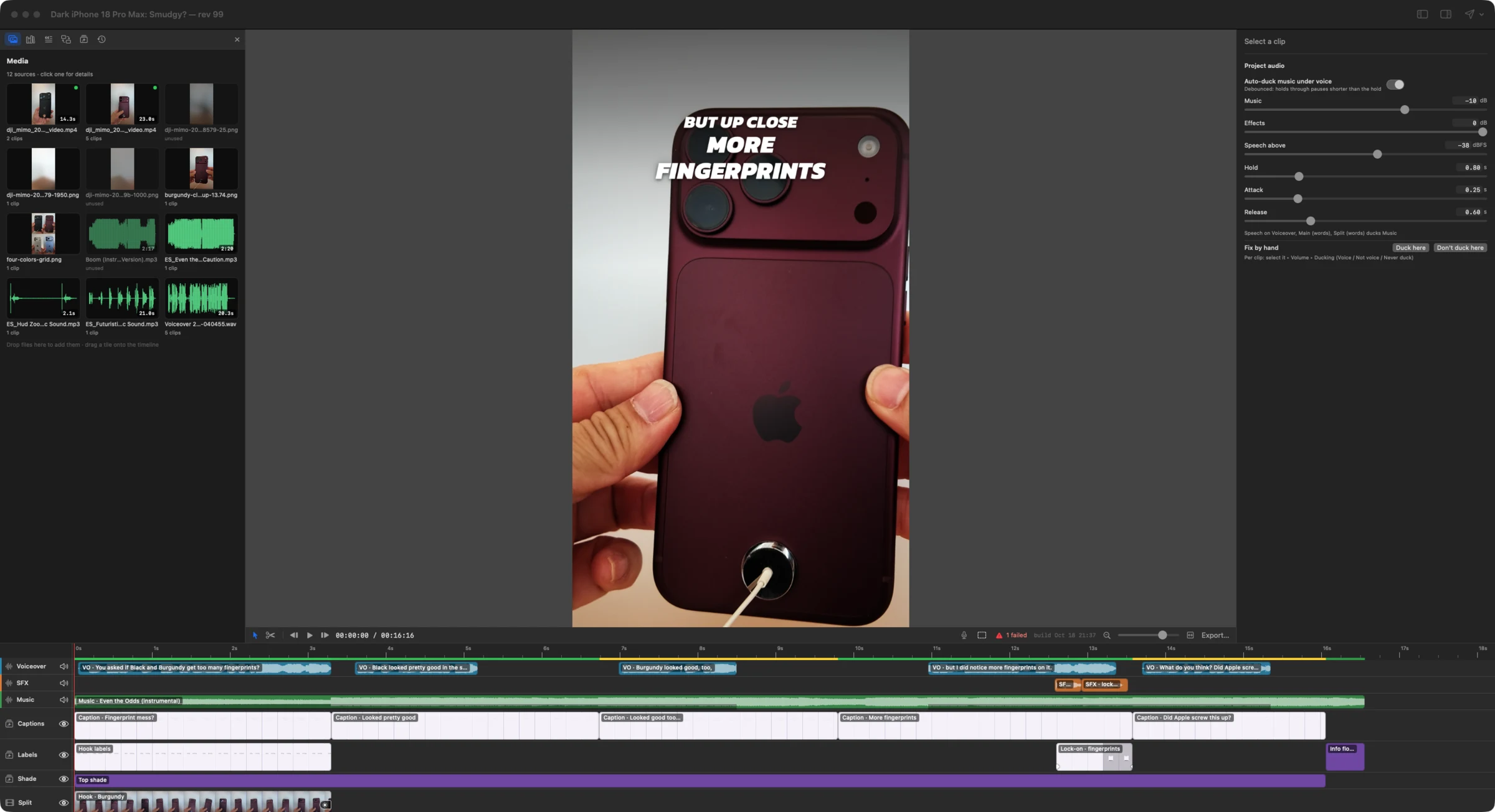
Type what you want in Claude Code. Each edit appears in your open HTCUT window while you watch, one step you can keep or undo.
Made with HTCUT
Shorts from Hanley Talks Tech, cut with the AI team: real footage, 3D renders and motion graphics on one timeline. Tap one for sound.
htcut make color-ranking. 18 seconds.Your team
Four specialists share your timeline. You direct, and every edit is a step you can see, keep or undo.
Cuts the ums, pauses and retakes, and lands every cut between words.
Cleans noise, matches your mics and ducks the music under your voice.
Captions, motion graphics and picture-in-picture, in your brand.

Chapters, description, three titles and three thumbnails, ready to post.

 ABC
ABCAn AI that edits your video has to play by an editor’s rules. These three we haven’t seen anywhere else.
Your edits and Claude’s share one history. If Claude acts on a version you’ve since changed, its edit is refused, never forced through.
$ htcut ripple trim --clip 7492138c --end -2s
conflict: your base rev 418 is behind head 419
and these edits touched the same things:
rev 419 by user: Trim “End screen music”End a prompt with ;; and Claude knows your playhead, the clips under it and your selection. “This music” just works.
❯ this music comes in too early;;
playhead 08:35:13 (515.43s)
under playhead:
  7492138c “Music” 08:27:15–08:45:05
    End screen music: Fahrenheit
  0eb0e367 “Picture” HTT end screen
selected: noneA gap in a transcript isn’t proof of silence. HTCUT checks the sound and refuses to cut speech it can hear.
$ htcut ripple cut --from 3:10 --to 3:17
ripple cut would remove audible speech:
  A-roll at 192.40s — 1.86 s voiced
Listen first; if it's really a retake
or dead air, rerun with --allow-speech.
Pro-level editing
Deep where creators live: your voice, your face, your cut and your upload. Not a template app, and not a prompt box.
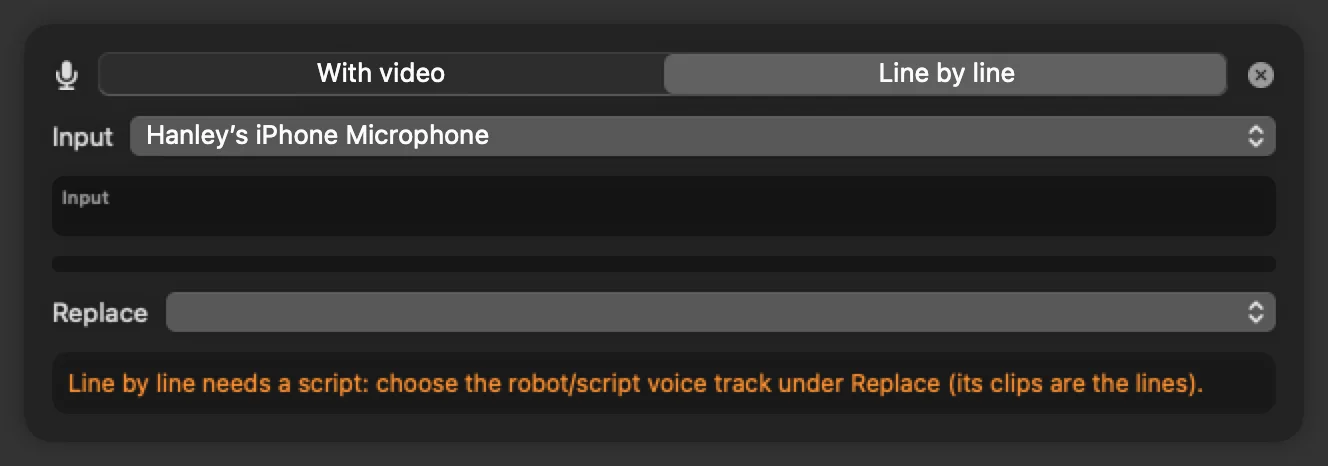
Your team voices every script line in a temporary AI voice and times it on the timeline, so you can cut the video first. Then record line by line: each take lands on its slot and the placeholder steps aside.
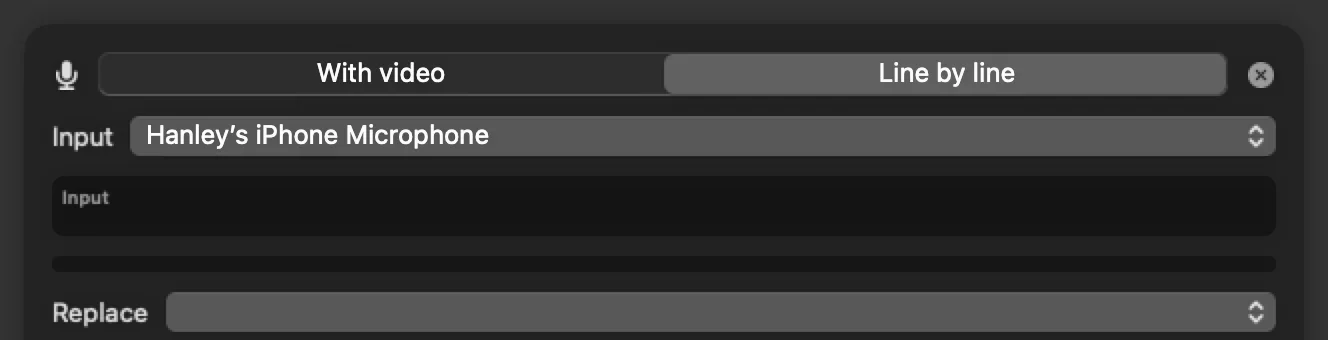
On your Mac or your phone. Each line plays its stretch of the edit above the words. Read your pickups, and HTCUT places each take by matching what you said.
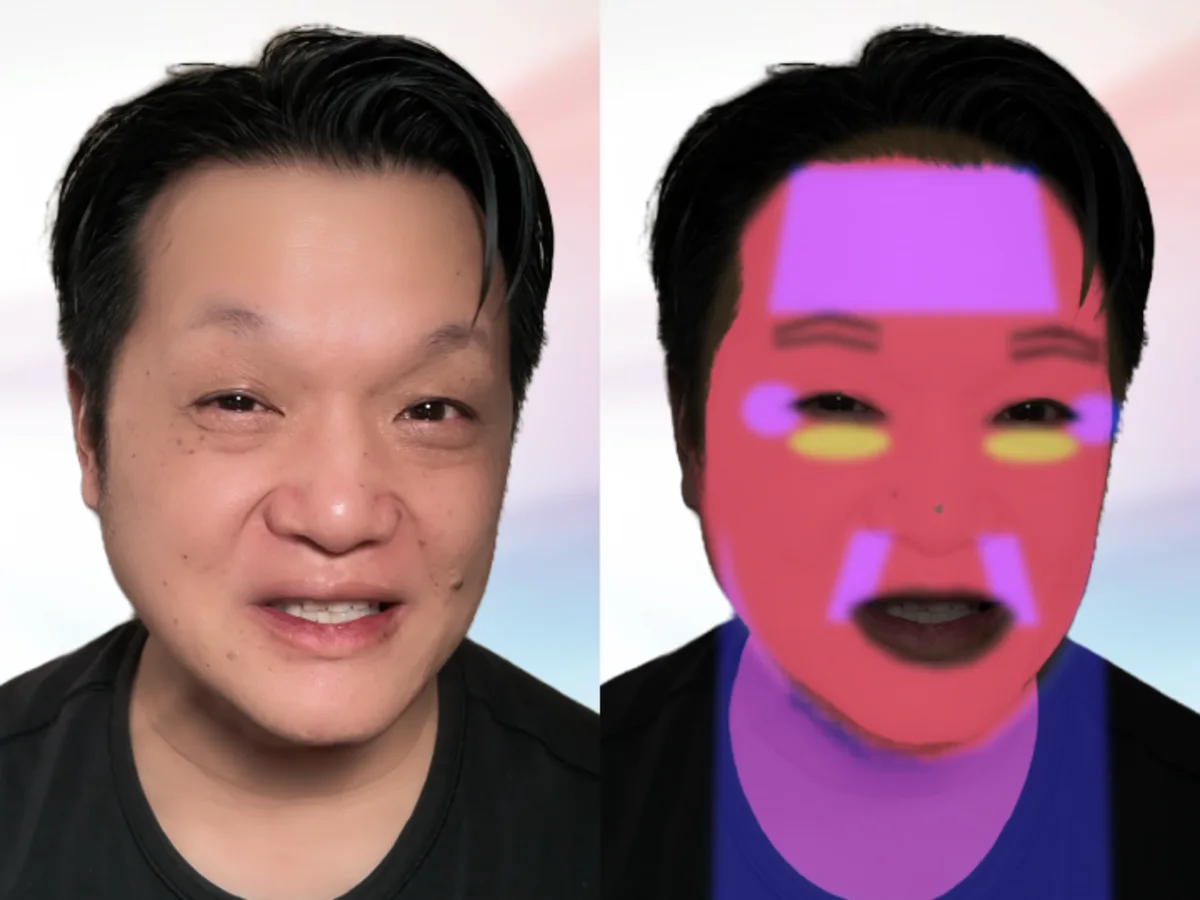
Natural smoothing, under-eye and tone, tracked to your face across every clip. Subtle, natural or studio, or tune each slider.
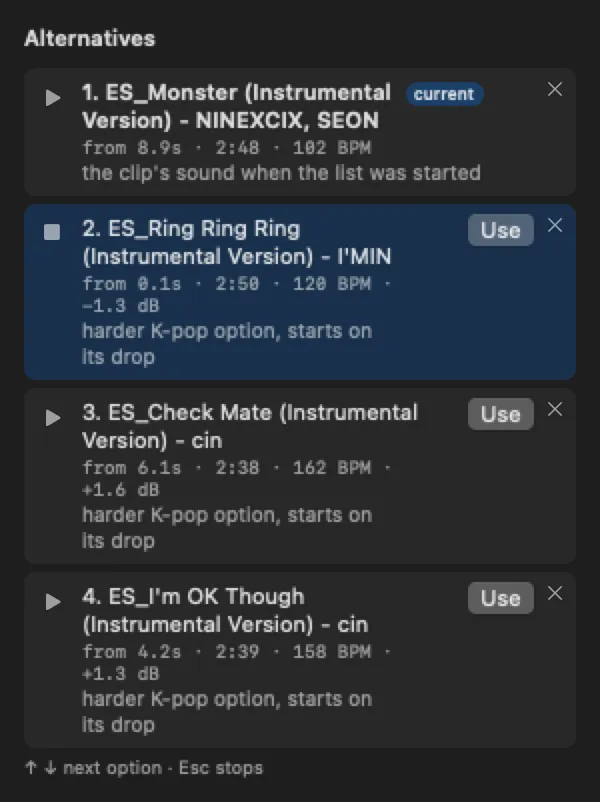
Your team proposes music beds and sound effects with tempo and loudness. Hear each one in place, flick through with the arrow keys, keep the one your ear likes.
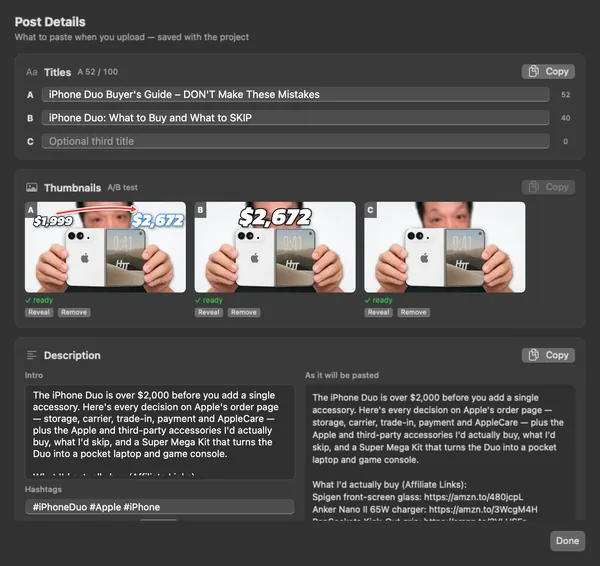
Package A, B and C for YouTube's Test & Compare, with chapters and your description footer, each one a Copy button away.
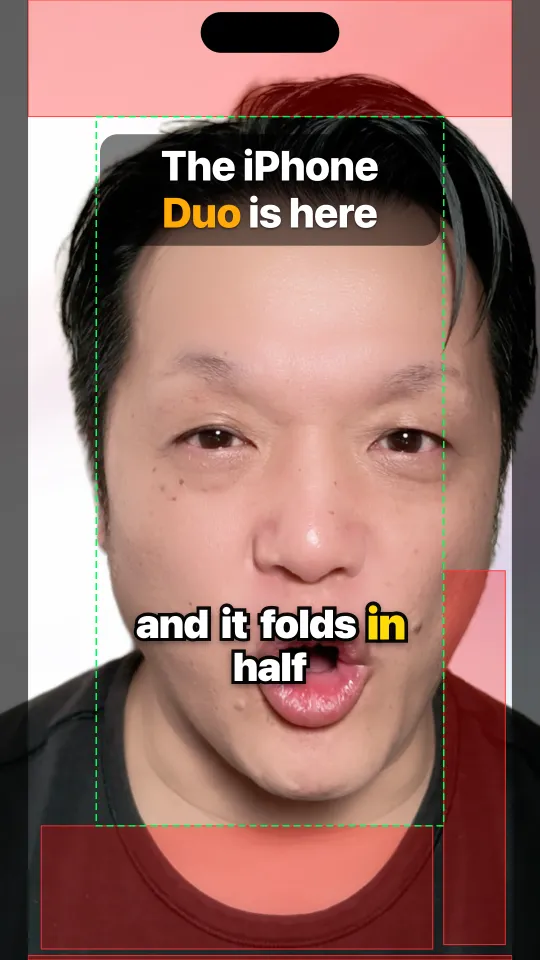
A mock Shorts interface and safe zones right in the viewer, per iPhone. Nothing hides under the Like button again.
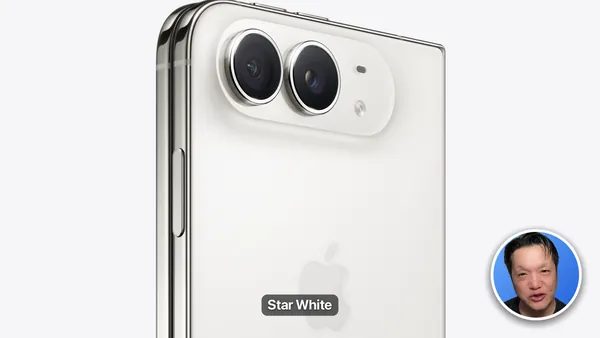
Picture-in-picture circles, iPhone and MacBook mockups, one-click cut-outs, and graphics placed behind you.
And everything else a finished video needs
Inside the app
Nothing mocked up. These are HTCUT’s own windows, from real projects. Swipe through.
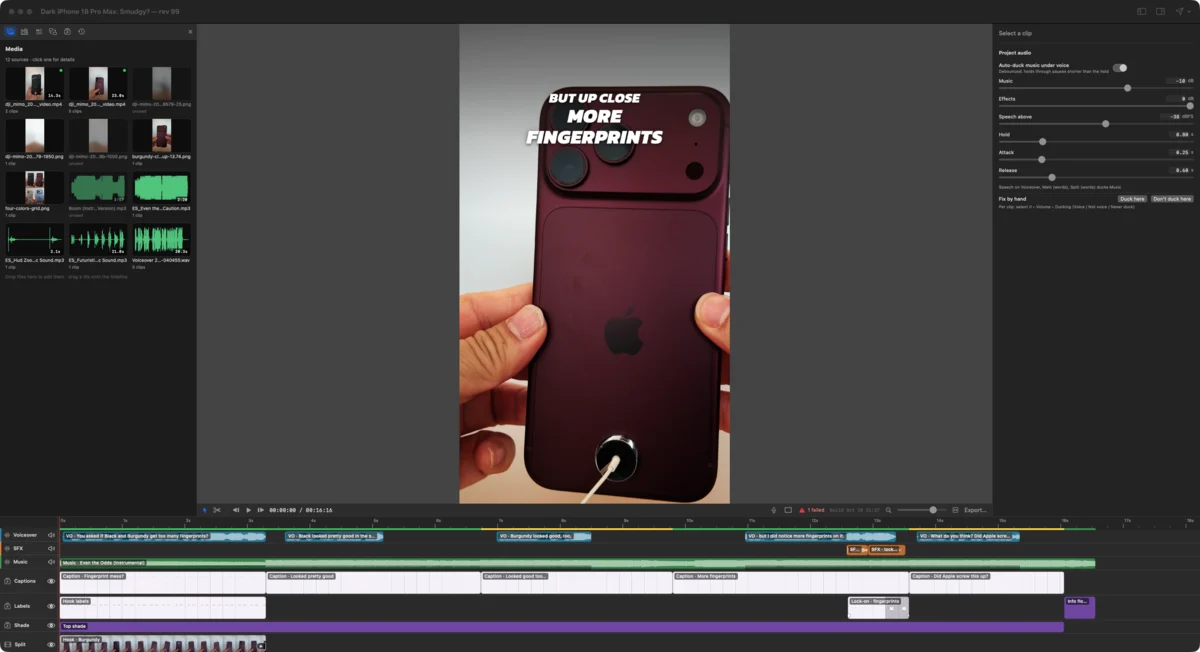
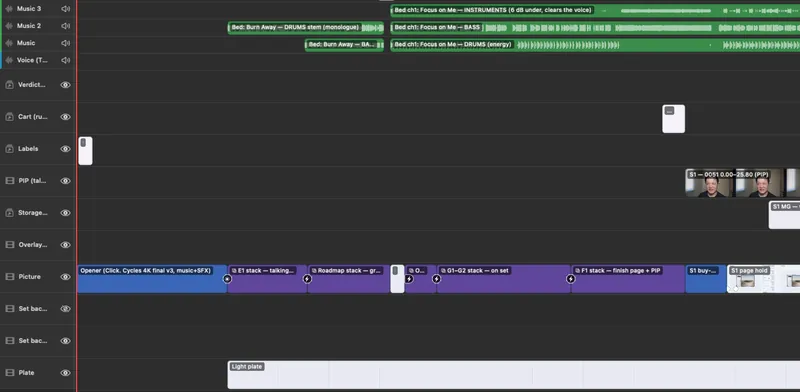
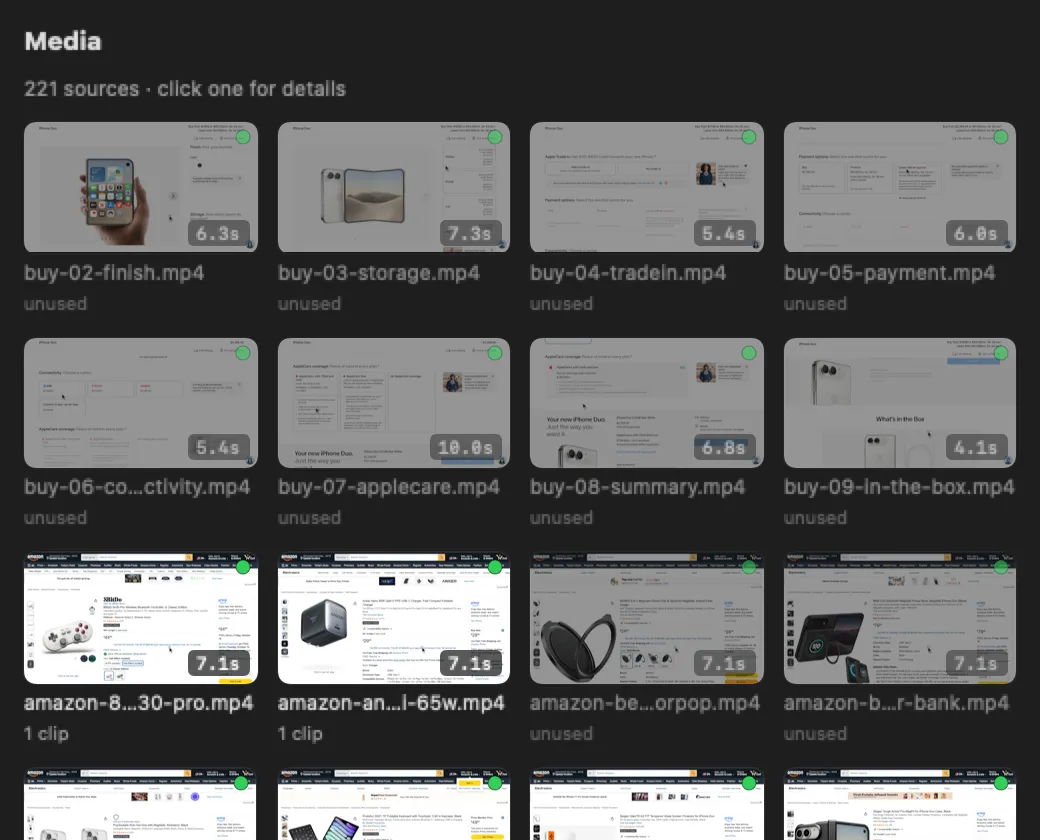
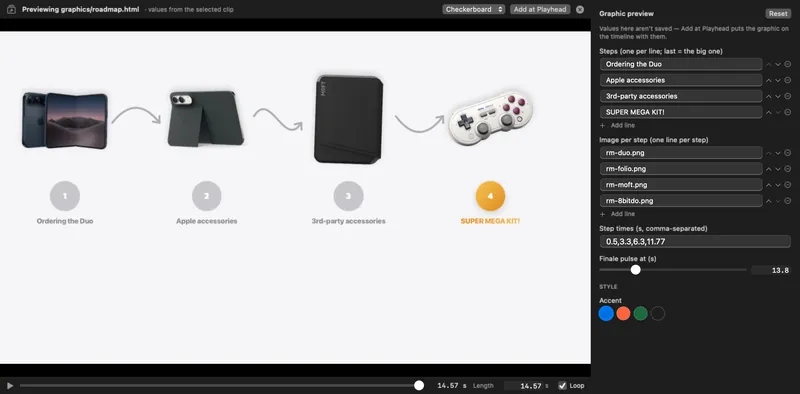
Mac-native
Not a web page in a window. HTCUT is a native Mac app on Metal and Apple’s video and machine-learning frameworks.
Whisper transcripts · wav2vec2 word timing · Vision and SAM 2 cut-outs · Apple voice isolation · frame interpolation — all on Apple Silicon.
Where it’s going
Directed by you, staffed by AI, backed by a community of creators.
Now
Next
Later

Free. Signed and notarized by Apple. What’s new
Download for Mac Get started in 10 minutes →Open HTCUT once and choose HTCUT ▸ Set Up Claude Code… — or install the plugin:
/plugin marketplace add hanley-tech/htcut
/plugin install htcut@htcutThe jobs a production crew does (editing, sound, design, publishing) are done by AI in HTCUT, on your Mac, while you direct. Today that's Claude Code editing your live timeline through HTCUT's commands. Next it's several specialists working at once, plus formats you can add from other creators. You keep the taste and the final say; every edit is a step you can see and undo.
No. HTCUT edits the footage you filmed: your face, your voice, your products. The AI does the editing work (cuts, sound, captions, graphics, packaging), not the filming. That's also what YouTube's 2026 rules reward: real creators, with AI doing the chores.
It can’t quietly. Claude never touches project files; it can only use htcut commands, and each one is a named step in the same history as yours. Undo it with ⌘Z or htcut undo. If you changed the same clips since Claude last looked, its edit is refused and it re-reads your version. Ripple cuts refuse to remove speech they can hear. And you can ask for a dry run before anything changes.
Those are editors with AI features built in, and most of their AI runs in the cloud. HTCUT is a timeline editor that an outside agent, Claude Code, can drive step by step while you work. Your media stays on your Mac, there are no credits or watermarks, and every AI edit is an op in your history. The trade-off: HTCUT is Mac only, and the AI part needs Claude Code.
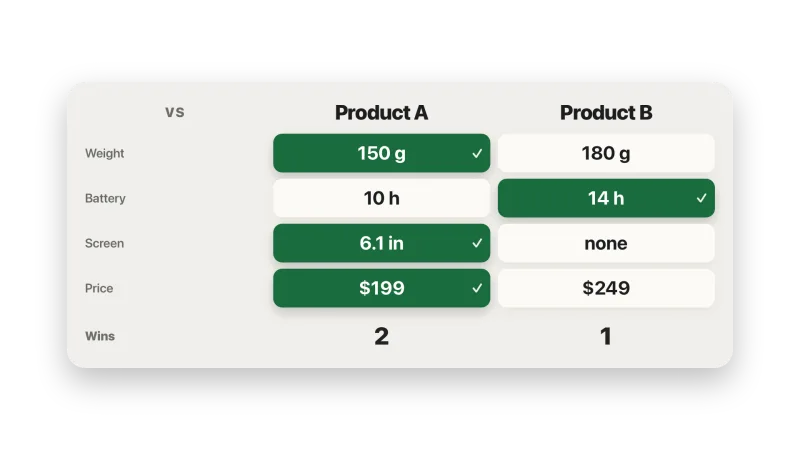
| Question | HTCUT | AI-first editors Descript, CapCut, VEED, Kapwing | Pro editors Premiere Pro, DaVinci Resolve, Final Cut Pro |
|---|---|---|---|
| How the AI edits | Claude Code edits your open timeline, one named, undoable step at a time, while you keep working. | AI tools and agents built into the app, such as Descript’s Underlord. Many run per prompt and cost credits. | AI added to a pro timeline: Premiere’s AI Assistant (beta), an MCP server for AI assistants in Resolve 21.1, search, captions and masks in Final Cut. |
| When you and the AI both edit | At the same time, on the same timeline. One history with an author on each step. An AI edit made on an out-of-date version is refused, never forced through. | The agent works in its own panel, or on projects in the vendor’s cloud drive through a connector. You review what it did afterwards. | Assistants and MCP servers act on the project. We found no published way of handling you and the AI editing at the same moment. |
| Checks before you upload | A pre-publish checklist (clipped words, cut-off text, Shorts safe areas, YouTube’s chapter rules), plus loudness and true peak measured on every export. | One-click loudness and caption tools. No pre-upload checklist that we found. | Meters and scopes for you to read yourself. |
| Where your footage goes | Stays on your Mac. Transcripts, cut-outs, voice cleanup and renders run locally. | Mostly to their cloud: browser editors and cloud project drives. | Edited locally. Some AI features use the vendor’s cloud. |
| What it costs | Free. No credits, no watermark. Claude Code needs a Claude plan. | Free tiers with limits or watermarks. Paid plans meter AI in credits or minutes. | Premiere is a subscription. Resolve is free, Studio is a one-time purchase. Final Cut is a one-time purchase or part of Apple Creator Studio. |
| Runs on | Apple Silicon Macs, macOS 15 or later. | Browser, desktop and phone, depending on the app. | Premiere and Resolve on Mac and Windows. Final Cut on Mac. |
Based on each vendor’s public pages and coverage as of October 2026. Features and prices change; check before you buy.
Yes. HTCUT is a free download. There is no account, subscription, credits or watermark. Claude Code is separate: it needs a Claude plan or an Anthropic API account.
Neither. You type plain sentences into Claude Code and it runs the commands for you. Without it, HTCUT is a complete editor you drive with the mouse and keyboard. Claude Code is what puts the AI team to work: it reads your timeline, makes the tedious edits and checks your cut, while you keep working in the window.
HTCUT is built and tested with Claude Code: the skill, the plugin, the project hooks and the ;; trick are Claude Code features. Underneath it’s the htcut command, so any agent that can run terminal commands can read and edit your project the same way. Point it at htcut help and the CLAUDE.md in your project folder.
Nowhere. Projects, media, transcripts and renders stay on your Mac. Transcription, cut-outs, voice isolation and retouching run on your Mac too. HTCUT has no analytics or telemetry. It only goes online to download an optional model the first time you use a feature that needs one. If you use Claude Code, it sees what its commands return, such as the timeline, transcripts and frames it renders to look at, and what you share with Claude is between you and Anthropic. Privacy details.
Yes. HTCUT imports CapCut desktop drafts: tracks, timing, volume, fades, position, scale, text and the glitch and flash transitions. Anything it can’t carry over is listed, not faked.
It’s early, and it’s been used to finish real videos. Expect rough edges and missing menus: a few features are commands only for now. Tell us what breaks.
On GitHub. Open an issue for bugs and feature requests, or ask in Discussions. In the app, Help ▸ Report a Bug… opens an issue with your HTCUT and macOS versions filled in. The guides cover most first questions.