
Learn · Guide 4 of 10
Text & motion graphics
In HTCUT a graphic is a web page. The built-in ones cover titles, captions and data cards, and you can write your own in HTML, CSS and GSAP.
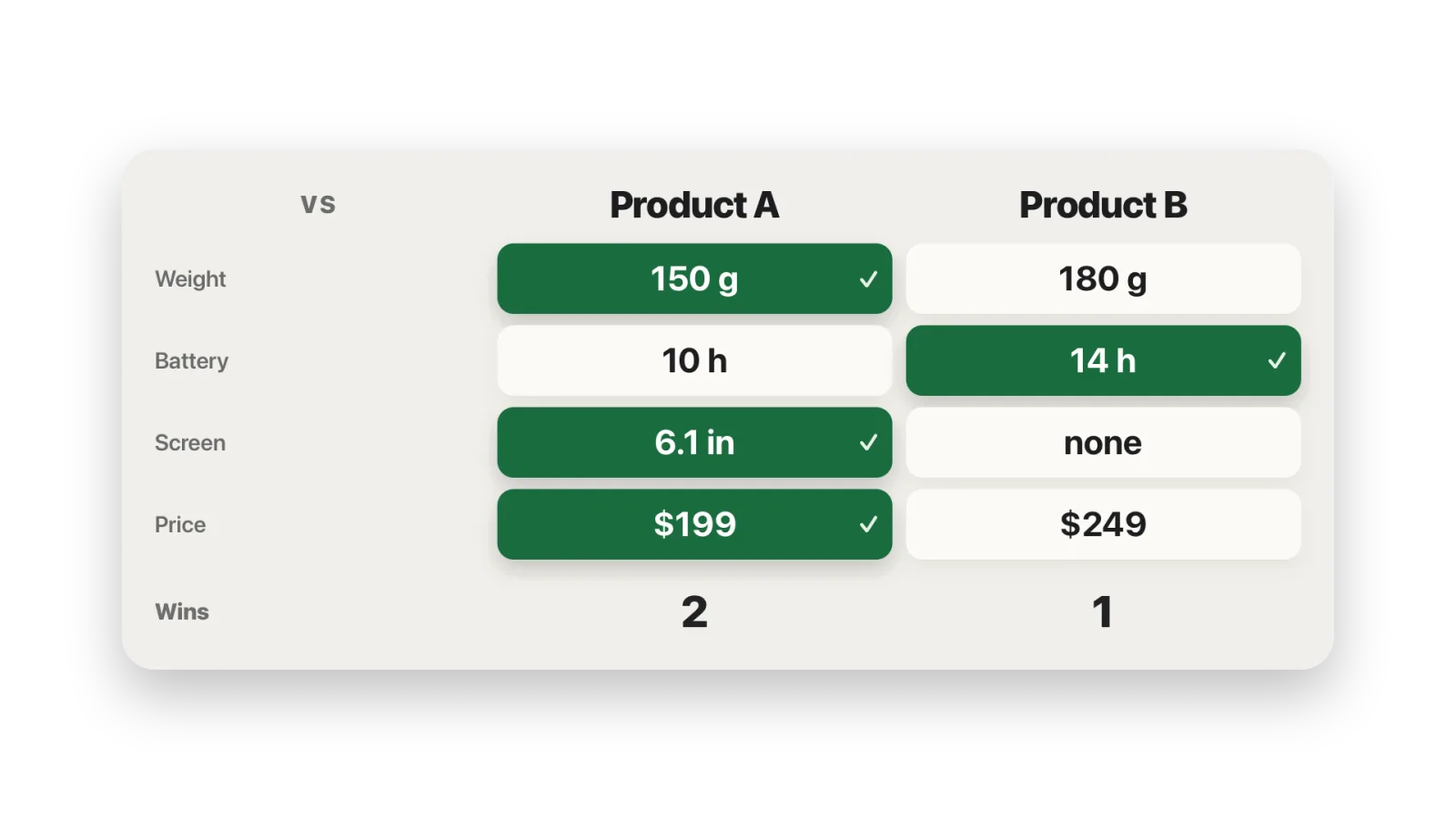
versus graphic: type “Label | A | B” rows and it picks the winner of each row.Use the built-in graphics
Open the Graphics pane
⌘2. Every new project has
headline,caption,subtitle,callout,rankcard,spec-sheet,versus,price-card,cart-totalandverdict. They live in the project’sgraphics/folder.Preview it
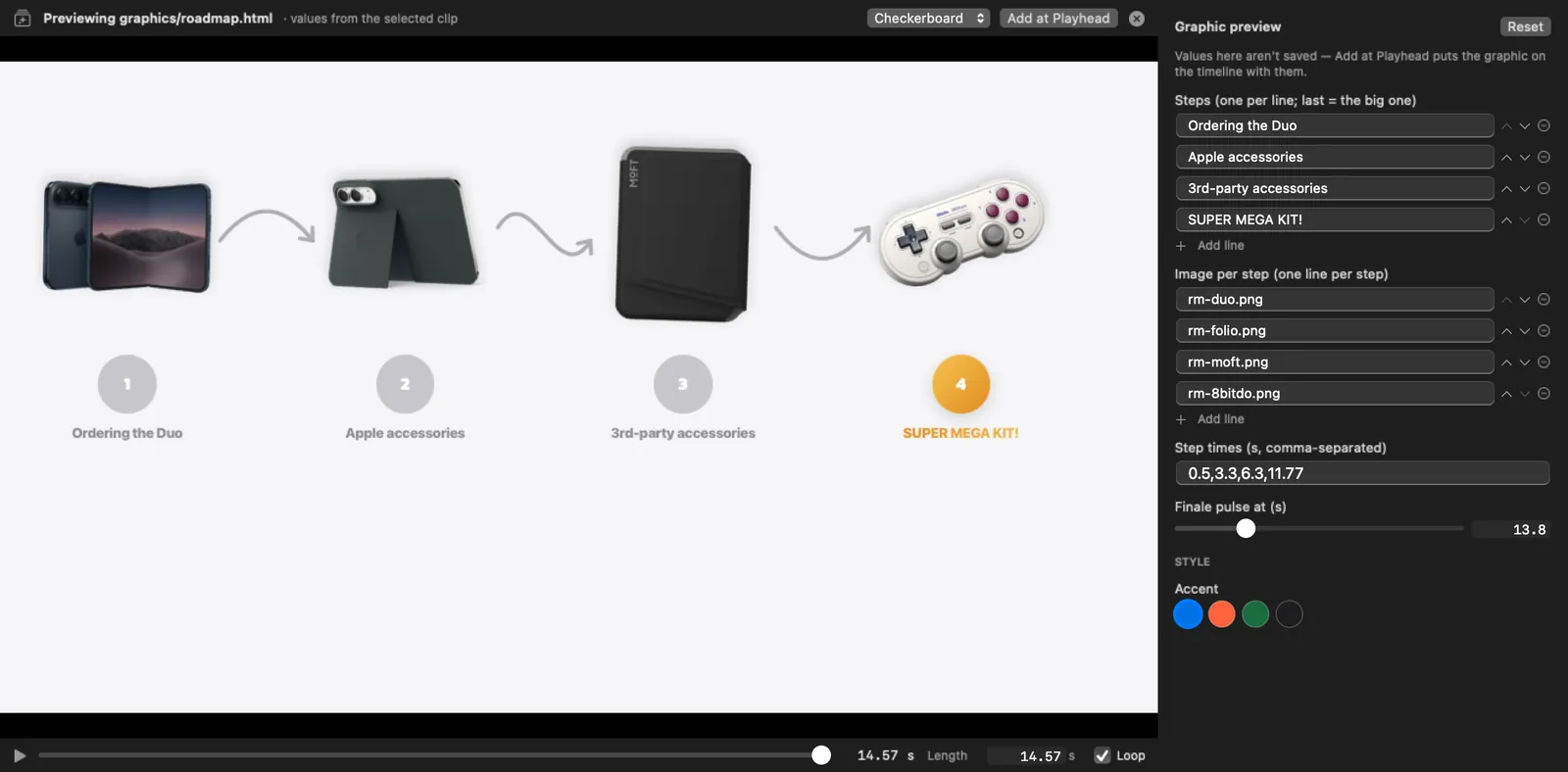
Click a graphic to play it in the viewer, with its fields in the inspector. Play, scrub, loop and try values. The backdrop can be the frame under the playhead, a checkerboard, black or white. Space plays and Esc closes.
Add it at the playhead
Click Add at Playhead. Values aren’t saved until you do. It goes on the first free graphics row, or a new “Graphics” row.
Edit its fields
Select the clip and change its fields in the inspector. Position fields get drag handles in the viewer. Select several clips of the same graphic to change them together.
Let animations render
Animated graphics render in the background, and the clip shows a Rendering animation badge. Meanwhile the viewer plays them live, so your edits show at once. Turn that off with , or per graphic with Play live while it renders in the inspector. Export waits for the final render.
Put text behind the subject
Select a graphic or image above your footage and choose ⌥⌘B. HTCUT cuts the person out of the footage beneath and draws them over the graphic. See Look for cut-outs.
Brand kits
saves your accent colours, font, logo watermark, intro, outro and channel sting, and applies them to any project. Graphics pick up the brand font and accent automatically.
Write your own graphic
Save an HTML file in the project’s graphics/ folder. Declare its fields on the <html> tag and they become inspector controls. Field types are string, number, color, boolean and enum. Values reach the page as data-var text and CSS variables.
<!doctype html>
<html data-animated data-composition-variables='[
  {"id":"text","type":"string","label":"Text","default":"Hello"},
  {"id":"accent","type":"color","label":"Accent","default":"#FF3D9A"}
]'>
<head>
<meta charset="utf-8">
<script src="vendor/gsap.min.js"></script>
<style>
  html, body { margin: 0; width: var(--canvas-width); height: var(--canvas-height);
               background: transparent; overflow: hidden; }
  h1 { position: absolute; top: 40%; width: 100%; margin: 0; text-align: center;
       font: 800 9vmin -apple-system, sans-serif; color: var(--accent); }
</style>
</head>
<body>
<h1 data-var="text"></h1>
<script>
  const tl = gsap.timeline({ paused: true });
  tl.from("h1", { y: 40, opacity: 0, duration: 0.6, ease: "back.out(2)" });
  window.htcut.seek = t => tl.seek(t, false);
</script>
</body>
</html>data-animatedmarks it as animated. HTCUT pauses the page and seeks it frame by frame, so build one paused timeline and hand HTCUT its seek function.- GSAP and its plugins (SplitText, ScrambleText, Text, CustomEase, MotionPath) are bundled offline in
graphics/vendor/. - Use
vminsizes so the same graphic works in 16:9 and 9:16. - Images next to the template (
<img src="hero.jpg">) are loaded from disk. Replace the file and the graphic re-renders.
Check it before you place it
htcut graphic renders exact stills of a template at the times you give, plus a contact sheet, in a couple of seconds. It also checks the whole animation for text that gets cut off. The pre-publish checklist blocks on cut-off text too.
$ htcut graphic hello --at 0.1,1 --vars '{"text":"It works"}' -o /tmp/hello
/tmp/hello/hello-1.00.png
/tmp/hello/hello-sheet.png
text: nothing cut off (checked 9 moments)